A universal game launcher, hosted at home. What a media server like Plex does for your films, playR does for your games. Steam, Epic, GOG, Amazon, EA, Ubisoft, Battle.net and Riot Games in a single library — plus the games you can stream on GeForce NOW and Amazon Luna. Launch any game from one single app. Find everything there is to know about it, and track your wishlist prices. On your PC, or full screen with a controller.
Amazon Luna
A universal game launcher — an all-in-one program that merges the libraries of several stores into one. Instead of opening Steam, then Epic, then GOG to find a game, you open playR.
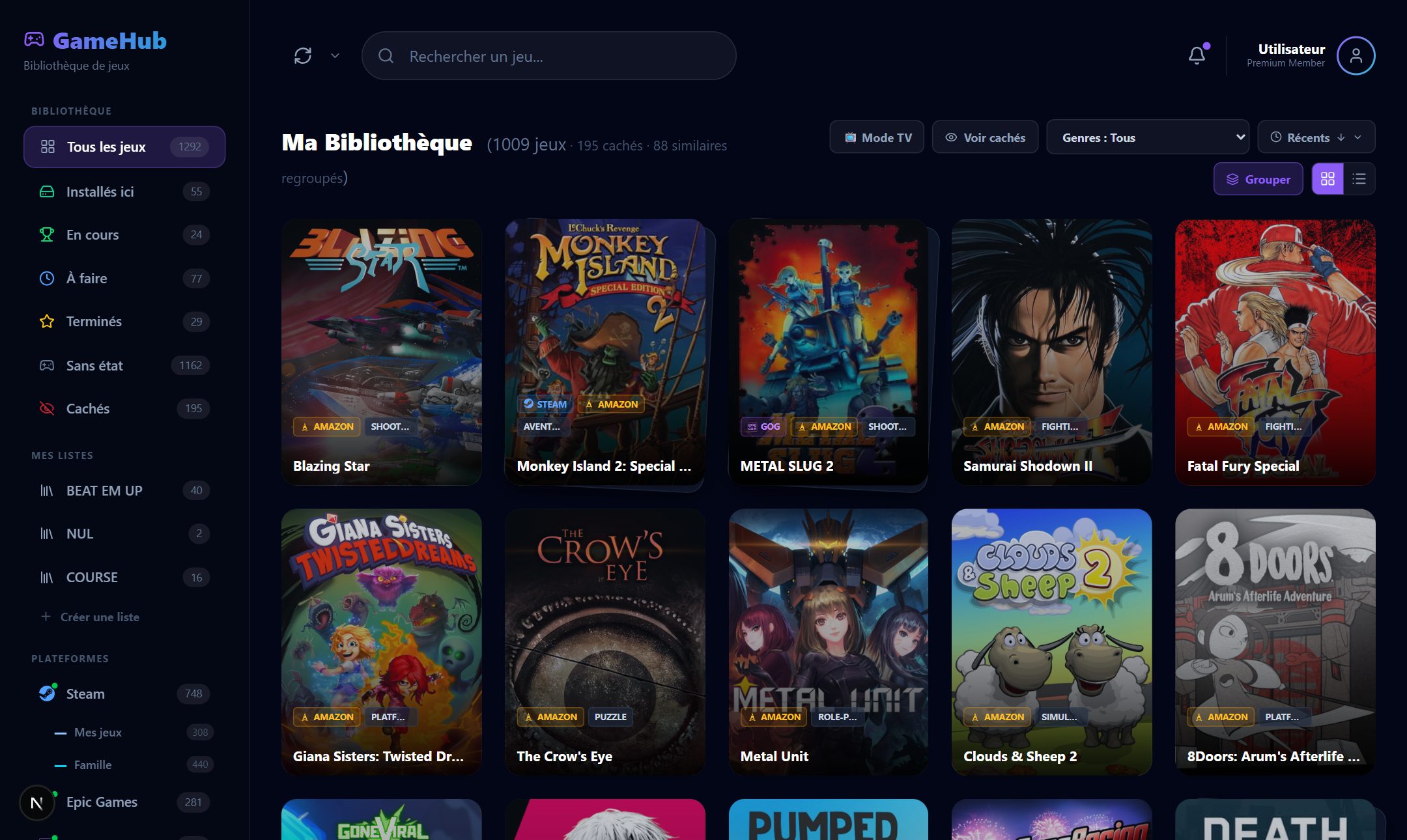
A game library manager — ratings, lists, statuses, filters, sorting and statistics: enough to organise a collection of several hundred games, not just display it.
Self-hosted — the library lives on a machine of your own: a Windows PC, or anything that runs Docker (NAS, CasaOS, Proxmox). Your other computers connect to it, and nothing goes through a third-party service.
Multi-screen — the same library with keyboard and mouse on the PC, and in console mode — full screen, controller in hand — on the living-room TV.
No emulation, on purpose — playR handles neither emulators nor ROMs: only the games you bought from official stores. If retro is what you are after, the comparison will point you elsewhere.
Steam (family library included), Epic, GOG, Amazon, EA, Ubisoft Connect, Battle.net and Riot Games in one place, with similar games grouped together — and alongside them, your Xbox, PlayStation and Nintendo libraries. Games playable on GeForce NOW and Amazon Luna are detected and launch from playR, with nothing to install. One library to browse, instead of opening every launcher one after another.
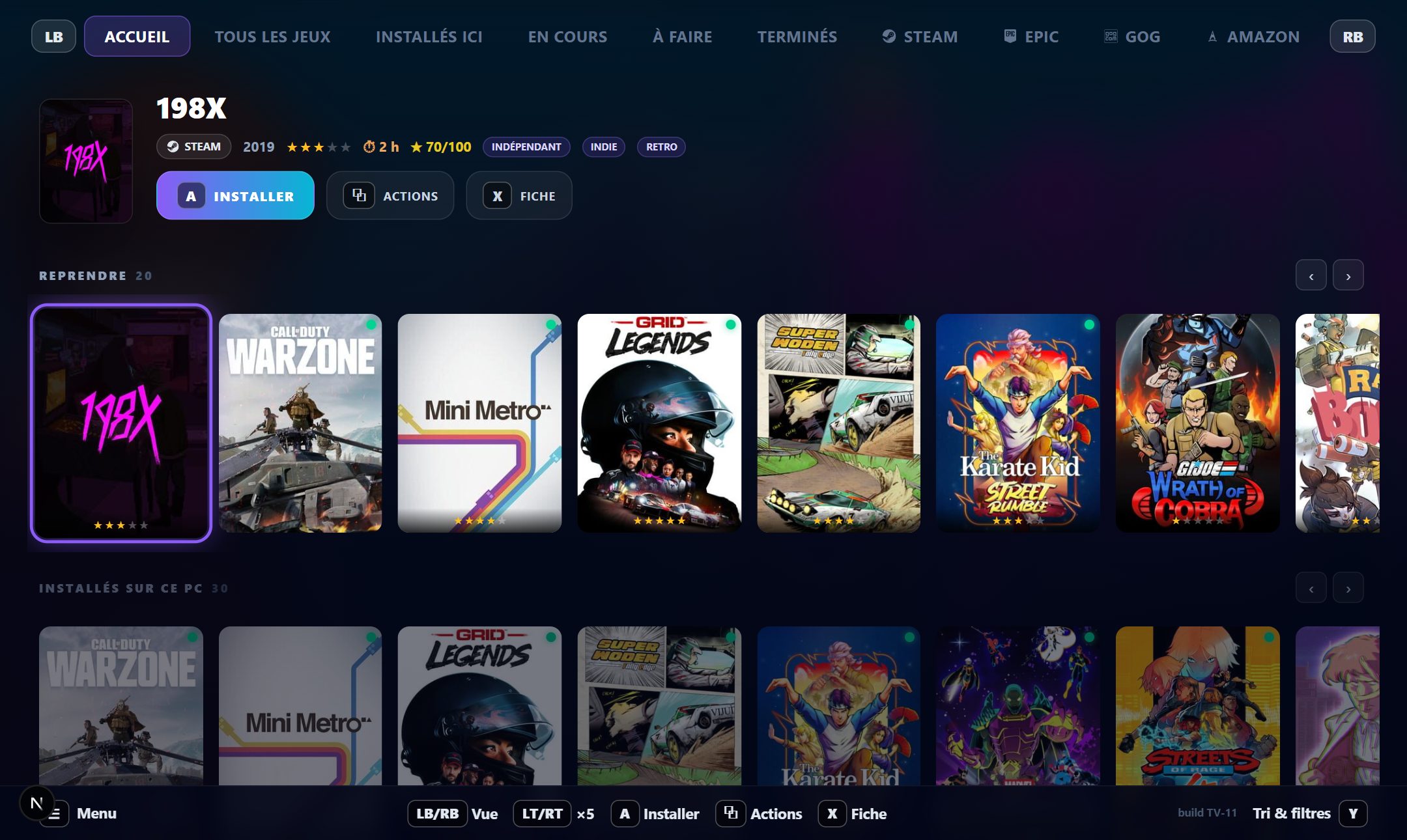
A full-screen interface driven entirely by controller, like a console — on the living-room TV or on your PC monitor. With a “What to play tonight?” random pick and a slideshow screensaver.
Install and launch your games straight from your library. Own a game on several stores? playR lets you pick which one to use.
Cover art, description, critic score, time to beat, system requirements, hours played. Data filled in through the IGDB and HowLongToBeat APIs.
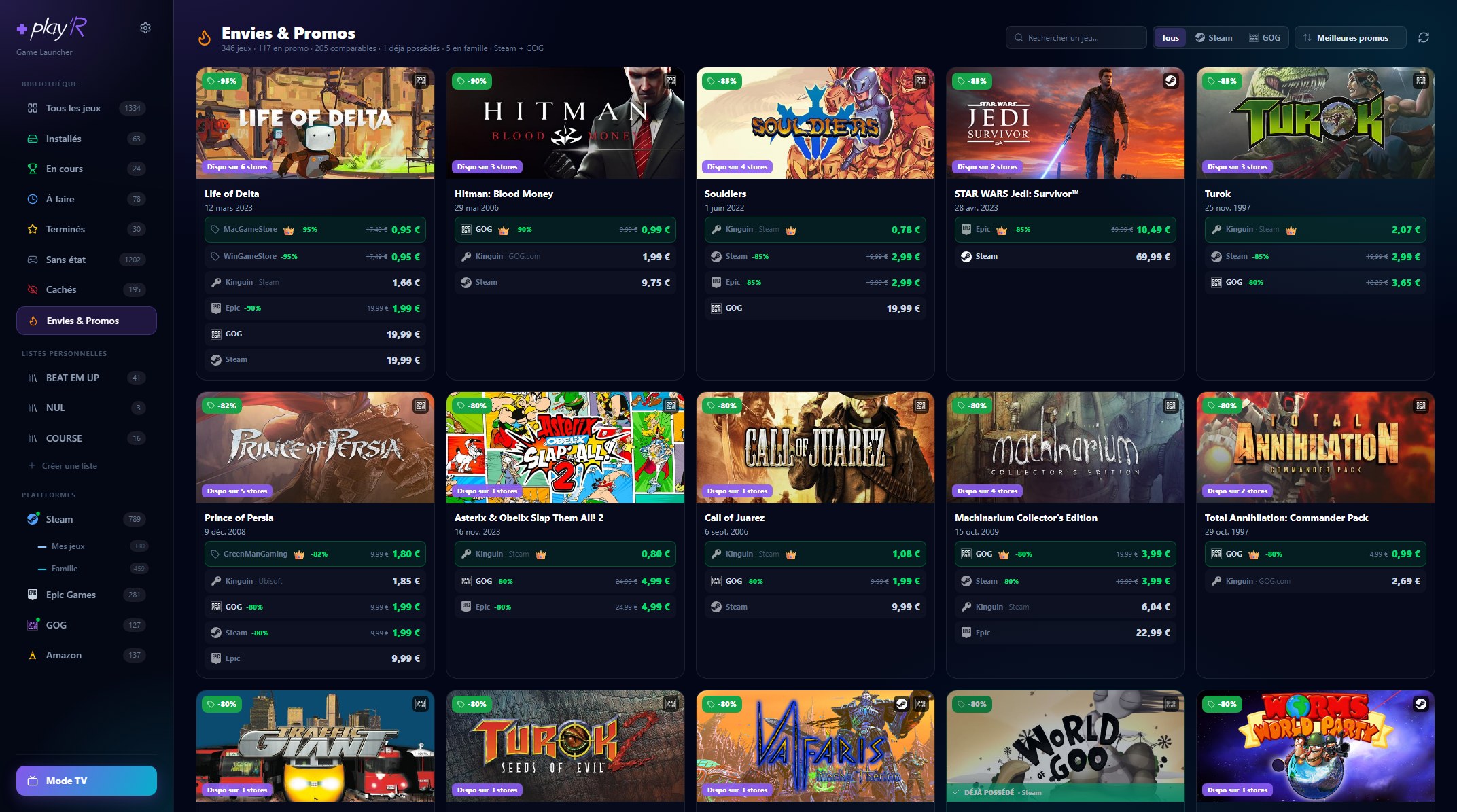
Your Steam and GOG wishlists in one place, plus your own personal playR list. Prices and deals compared across some thirty stores, a badge on games coming out soon, an alert when a price drops.
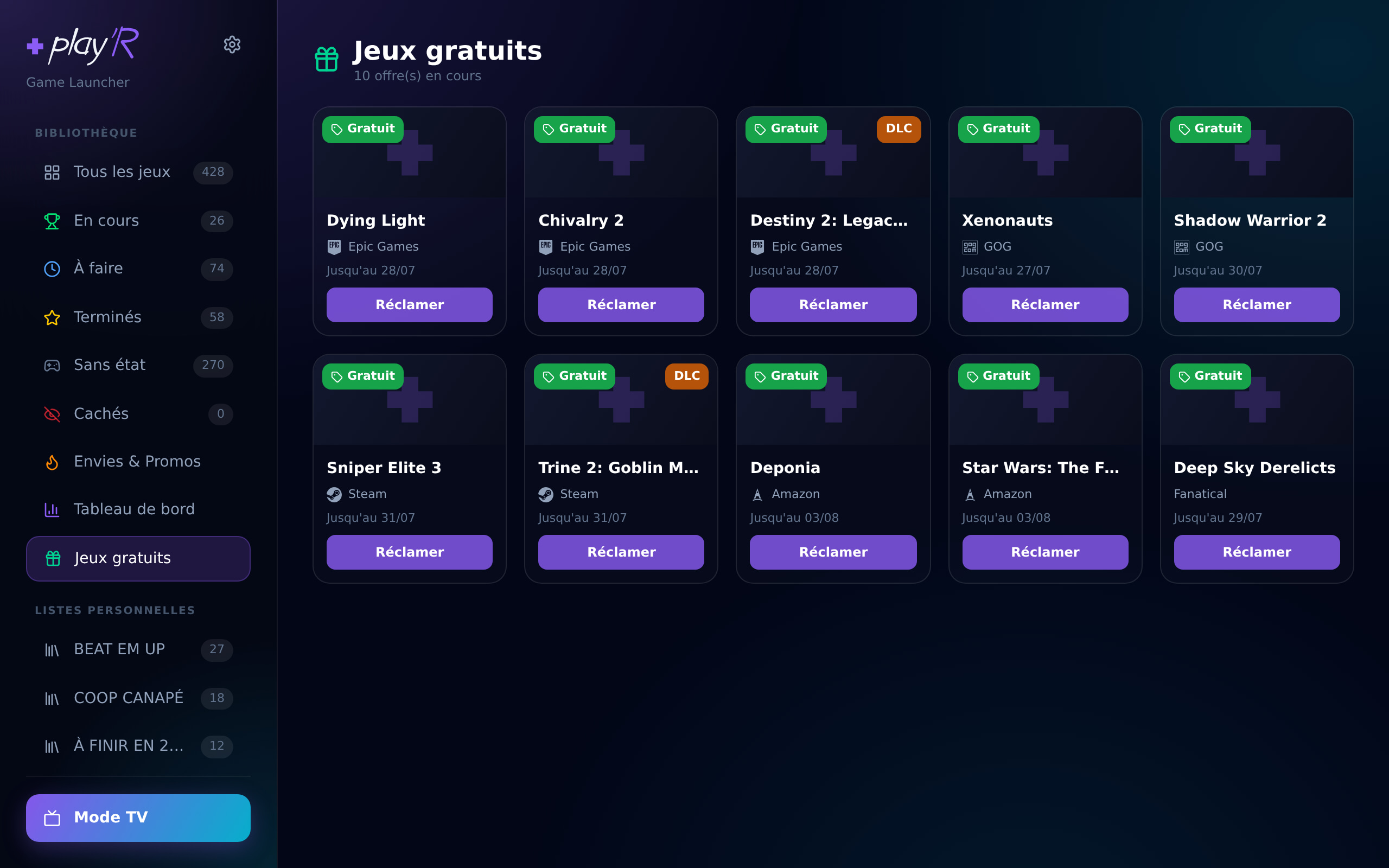
playR tells you when Epic, GOG or another store is giving a game away, and opens the page to claim it. The ones you already own are left out.
Your gaming stats: breakdown by platform, genre, status, rating and year, time played, share of games never launched — and the estimated value of your library.
A missing or low-quality cover? Pick another one from SteamGridDB, game by game or for the whole library at once.
Rate your games, file them into your own lists, mark them as to play, playing or finished, hide the ones cluttering your view — then filter and sort however you like.
French, English, German, Spanish, Italian, Portuguese, Dutch, Polish, Russian and Japanese.
Your library is stored at home — on a Windows PC, or anywhere Docker runs (NAS, CasaOS, Proxmox…). Your other computers connect to it and all see the same up-to-date library, with nothing leaving your network.
Every device has to be approved once with a code before it can reach your library. No one else on your network can touch it.
Access to your library when you're away from home, wherever you are.
A proper console mode: a full-screen interface driven entirely by controller, with large cover art, carousels, detailed game pages, sorting and filters. On the living-room TV as well as on your PC monitor — start a game without ever touching the mouse. Not sure what to play? “What should I play tonight?” picks one at random from the current view. And after a few idle minutes, playR turns your screenshots into a slideshow, music included.
Your Steam and GOG wishlists gathered in one place, with prices and deals compared across Steam, GOG, Epic, Kinguin and some thirty other stores. The cheapest is highlighted, and games you already own are flagged. A game that isn't out yet shows how long there is left to wait, and playR lets you know on release day.
Epic, GOG, Amazon and the others give games away all the time — you just have to hear about it before the offer ends. playR gathers them on a single page, with the deadline, and tells you in the bell. One click on “Claim” opens the store in a window that keeps you signed in: the game is yours in a few seconds, and it shows up in your library on the next sync. Games you already own are left out, expansions are flagged, and demos never slip in.
A Windows PC hosts your library, or any machine running Docker (NAS, CasaOS, Proxmox…). One-click Windows installer, or the Docker image everywhere else.
Install the playR app on each PC. It finds your library on its own, on this PC or across the network.
Connect your platforms (Steam, Epic, GOG, Amazon, EA, Ubisoft, Battle.net) with your own credentials — Riot Games asks for nothing: its games show up as soon as its client is installed — an official sign-in window opens, you log in with them, that is all. Sync, and your library appears.
A single installer, whether your library lives on this PC or on your network.
⬇ Download for WindowsWindows 10/11 · free
The server is a Docker image — it runs anywhere.
docker compose up -dInstalling the server (every case), connecting your accounts, hooking up a client — step by step, with screenshots.